
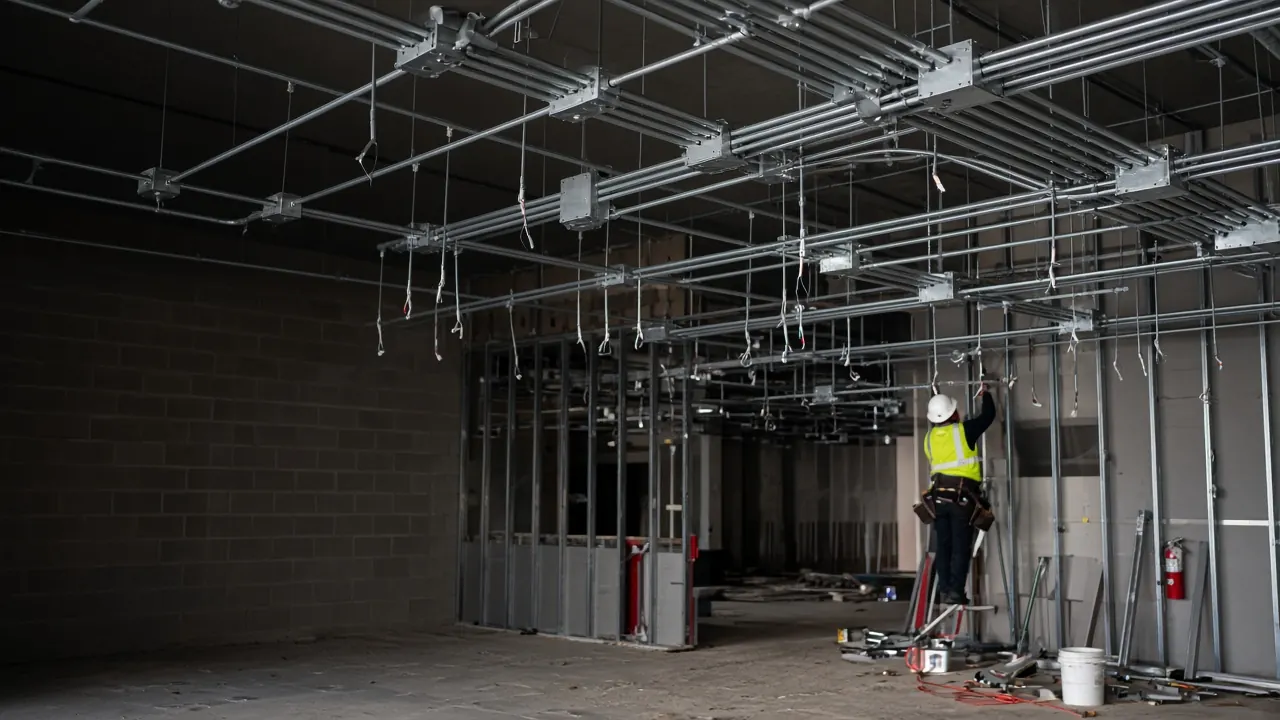
Electrical & low-voltage
See which electrical prices are actually working.
Build the sample below. Keep every unit you need — then use the analytics to tell you which prices to raise, cut, or leave alone.
Published unit rates are a starting baseline. Edit labor, material, productivity, and markup so they match how you bid.
Editable baseline unit rates
Published unit rates are a starting baseline. Edit labor, material, productivity, and markup so they match how you bid.
Starter units below — customize any line and add the items you actually bid.
Sample bid
Build the sample
Describe a job — EMT, devices, lighting, CAT6, fire alarm — and generate line items in seconds
Raise · cut · hold
Tune what wins
Analytics shows which prices to adjust. Keep every unit you still bid.
Your rates
Starter baseline
Published units are a starting set you customize: labor, material, productivity, markup
Electrical + low-voltage
Price the packages you actually bid
EMT, devices, lighting, CAT6, fire alarm, and access — unit rates and proposals built for electrical contractors, not a generic contractor toolkit.
EMT & raceway
Homeruns, branch conduit, and rough-in — priced by the foot or opening, not a lump-sum guess.
Devices
Outlets, switches, and device trim for remodels, tenant work, and repeat bid packages you reuse.
Lighting
Fixture install and lighting packages with quantities you can adjust job to job.
CAT6 / structured cabling
Low-voltage drops and pathways tracked as their own unit rates next to power.
Fire alarm
Devices and fire-alarm work you bid alongside power — not buried in a lump-sum allowance.
Access control
Readers, strikes, and related low-voltage access scope with the same unit-rate workflow as the rest of the job.
Three steps from takeoff to a sent proposal
Takeoff is still on the drawings; this page is rates to a sent proposal. Keep labor and material math on the units you reuse, then send a client-ready link.
- Step 01
Start from a baseline library
New accounts get a starter electrical set. Use published units as a baseline, adjust any line, and add the items you actually bid.
- Step 02
Assemble the proposal
Create from a template or scratch. AI can draft scope and line items from the job you describe. Adjust quantities, overhead, and fee before you send.
- Step 03
Send a review link
Email a branded proposal the GC or owner can accept or decline online. Keep the same units on the next similar job.
See the complete library-to-proposal workflow in our unit rate estimating software overview.
Questions electrical contractors ask
Straight answers on baseline rates, customization, and who this is for.
- What's included for electrical unit rates on day one?
- New accounts get a starter electrical and low-voltage set. Use it as a baseline — customize any unit, adjust labor and markup, and add the items you actually bid before you send a proposal.
- How does pricing analytics help?
- Keep the units in your library. Analytics shows which rates are winning, where margins slip, and what to raise, cut, or leave alone — without dropping items you still sell.
- Can I customize every published rate?
- Yes. Change labor, materials, productivity, markup, and descriptions on any unit. Published rates exist to get you started quickly, not to lock in someone else's pricing.
- Does it cover low-voltage as well as power?
- Yes. CAT6, fire alarm, and access sit next to EMT, devices, and lighting. Keep them as separate unit rates so a scope change on cabling does not rewrite the whole electrical number.
- Is this for residential and commercial contractors?
- Yes. Use the same unit-rate library for service upgrades, remodels, tenant improvements, and rollout work — power and low-voltage in one workflow.
- What is the Founder plan?
- Founder is $99/month for 10 seats, with that rate locked in as long as you stay on Founder. Spots are limited. Founder access lets shops lock in a team at that introductory rate.
See which electrical prices are actually working
Build the sample above. Keep every unit you need — then use analytics to tell you which prices to raise, cut, or leave alone.